Week 4: Git & GitHub Advanced Challenge : A Deep Dive into Real-World Version Control
Hi, I'm Laxmi Shiwarkar — a DevOps & Cloud Infrastructure enthusiast with 5+ years of hands-on experience in automating deployments, managing Linux systems, and supporting scalable infrastructure. My journey began in infrastructure support, and over time, I’ve grown into roles that bridge development and operations. I write about: 1.AWS & GCP cloud services 2.Jenkins, GitHub Actions & CI/CD pipelines 3.Docker & containerization basics 4.Shell scripting and automation 5.Linux troubleshooting and real-world DevOps challenges I'm here to share what I learn, document practical experiences, and connect with fellow DevOps and cloud professionals. If you're passionate about infrastructure, automation, or learning-by-doing — you’ll feel right at home here.
Challenge 2
Introduction
This week’s challenge focused on advanced Git concepts essential for any DevOps professional. Whether working solo or in a team, mastering Git’s powerful features like pull requests, stashing, resetting, and branching strategies helps keep workflows efficient and collaborative.
Here’s what I worked on in Week 4, and how it deepened my understanding of Git in real-world DevOps environments.
Task 1: Pull Requests – Collaborating Like a Pro
Scenario
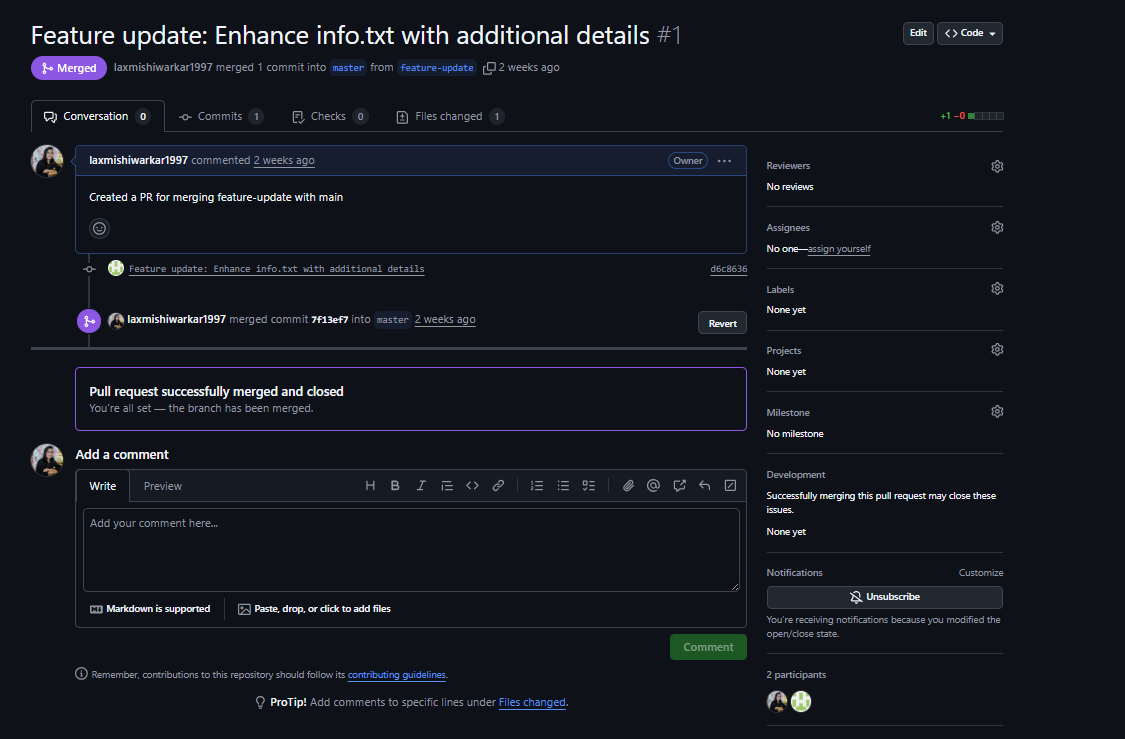
Created a new feature, committed it to a branch, and opened a Pull Request (PR) to merge into the main branch.
Steps I Followed:
Created PR on GitHub, requested a review, and merged after approval.
Key Takeaways:
Always write clear PR descriptions.
Use checklists to verify readiness.
Respect code review comments — they improve your code and understanding.
Task 2: Undoing Changes – Reset & Revert
Scenario
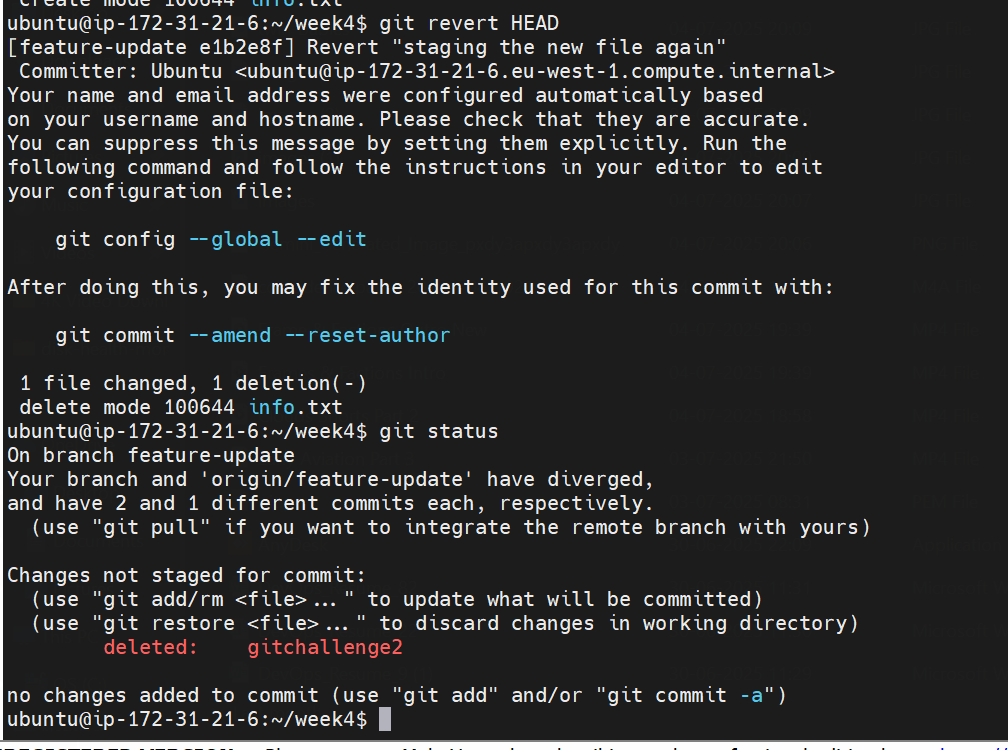
Accidentally committed the wrong code and needed to undo it using different Git reset modes.
Commands Used:
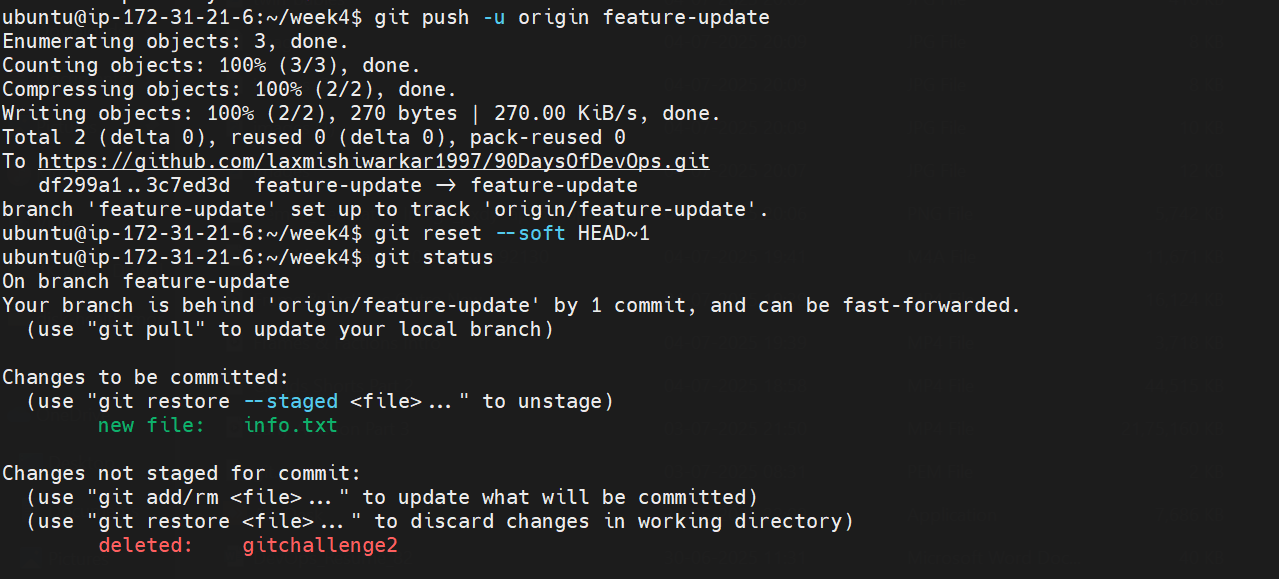
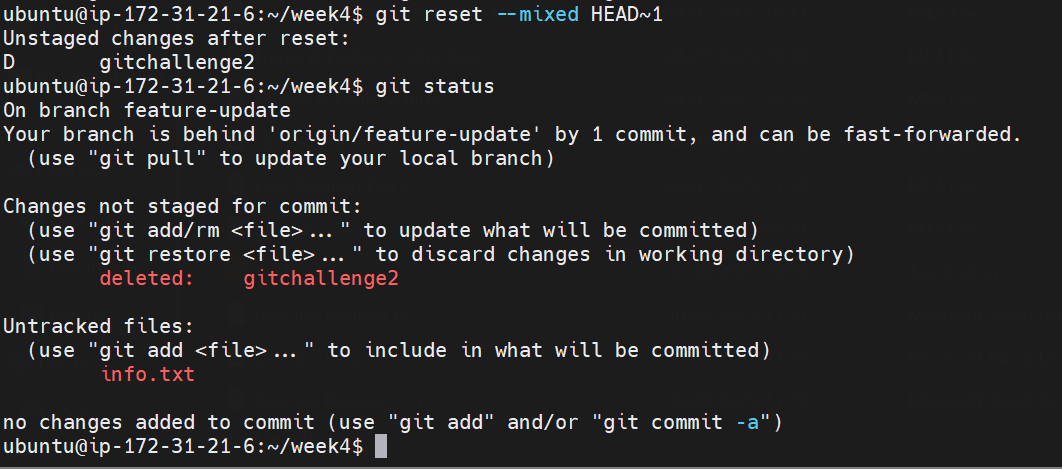
bashCopyEditgit reset --soft HEAD~1     # Keeps changes staged
git reset --mixed HEAD~1    # Unstages changes but keeps files
git reset --hard HEAD~1     # Discards everything
git revert HEAD             # Safely creates a new commit that undoes the previous one
Learning:
Use revert in public branches to avoid rewriting history.
Use reset in local/private branches when safe to discard/rewrite.
Task 3: Stashing – Saving Work Temporarily
Scenario
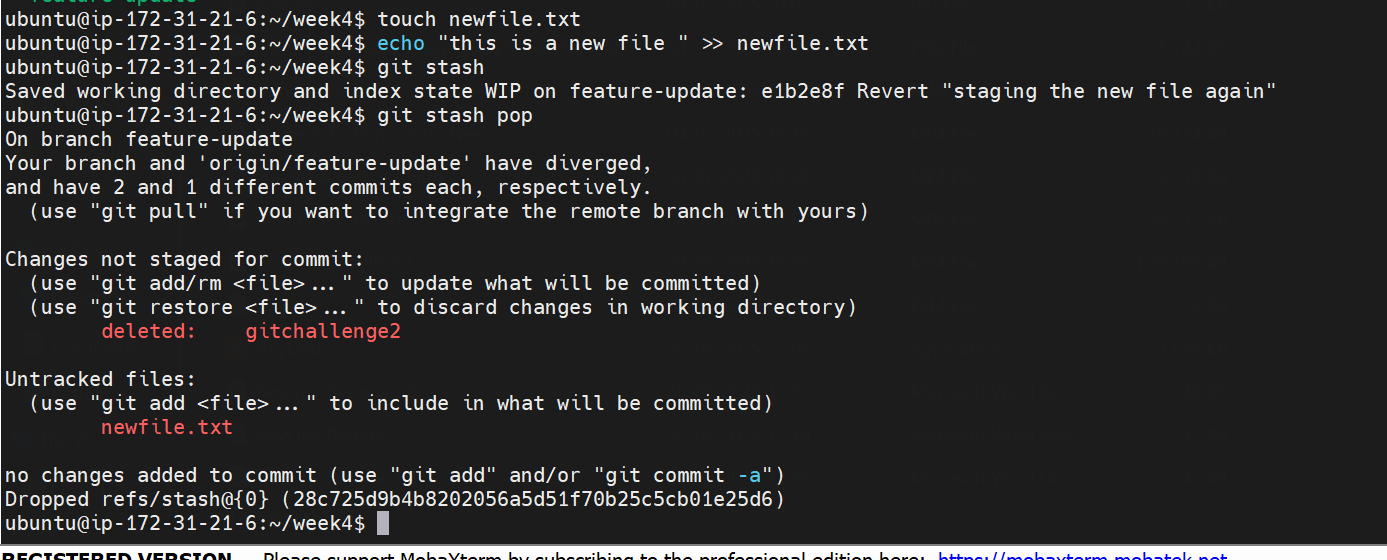
Needed to switch branches but didn’t want to commit incomplete changes.
Commands Used:
bashCopyEditgit stash
git checkout main
git stash pop  # Also explored git stash apply
Notes:
git stash popremoves the stash after applying.git stash applykeeps the stash intact for reuse.Great for mid-task interruptions or quick hotfixes!
Task 4: Cherry-Picking – Applying Specific Commits
Scenario
Needed a bug fix from another branch without merging all its changes.
Commands Used:
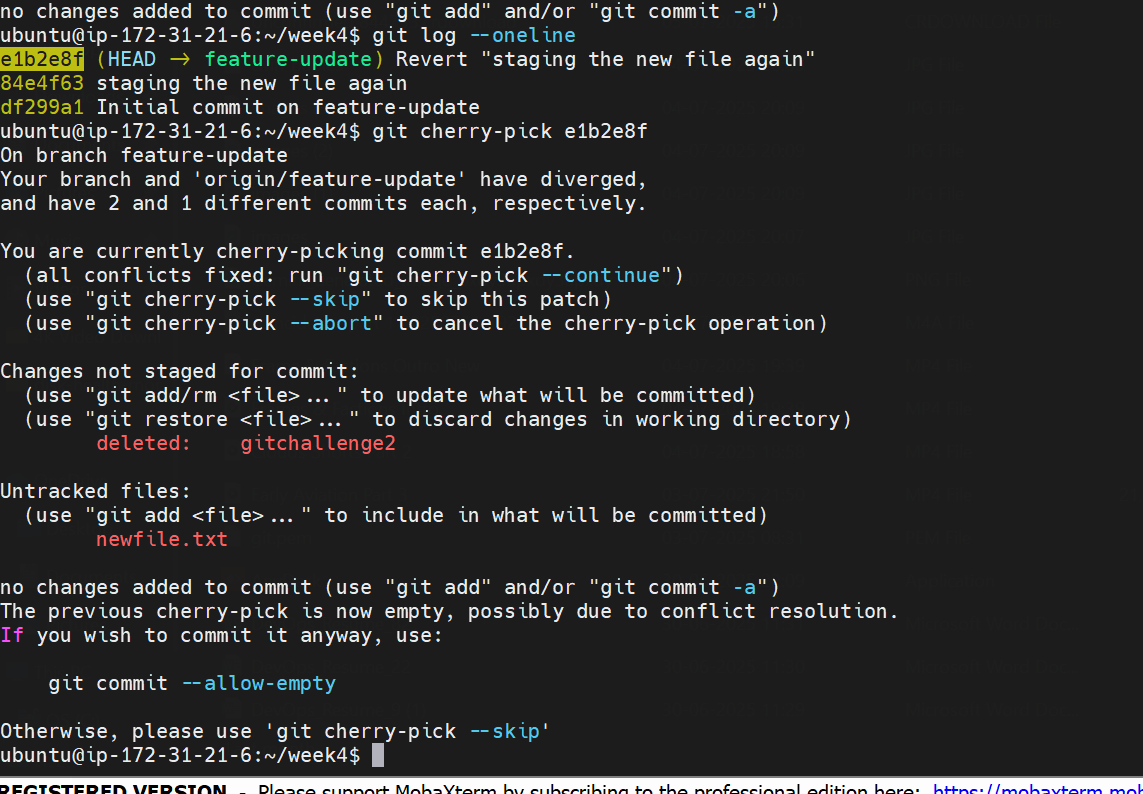
git log --oneline
git cherry-pick <commit-hash>
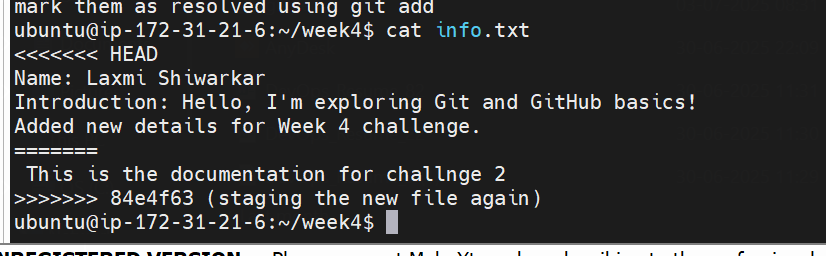
Resolved conflicts and used git cherry-pick --continue to finish.
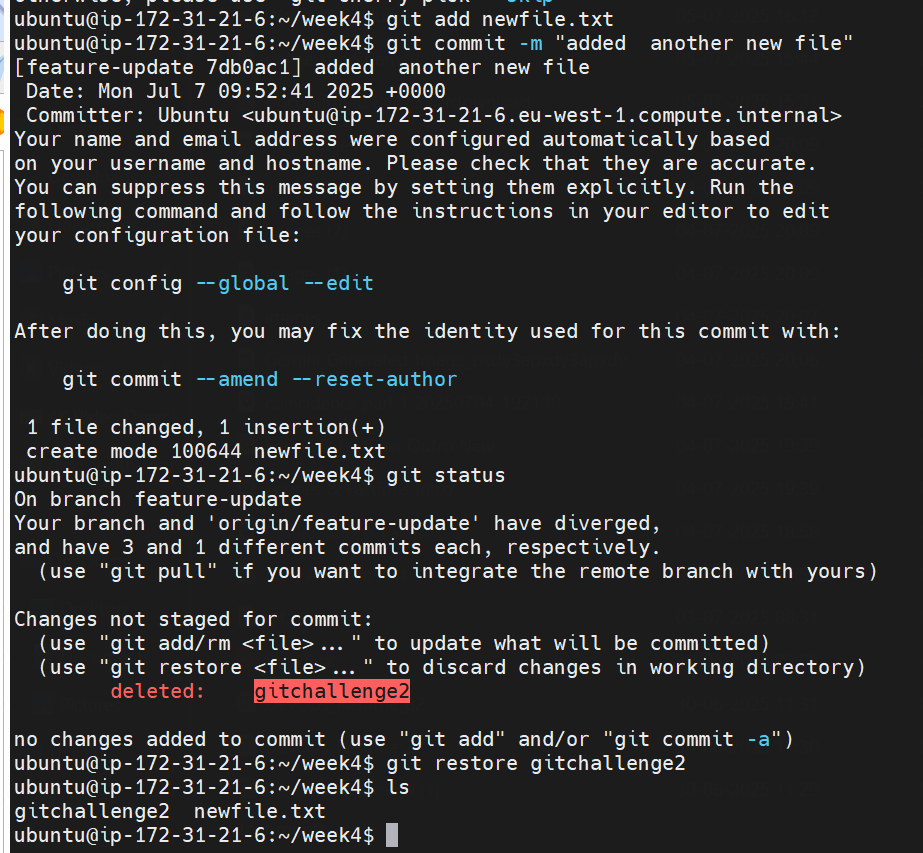
Conflict resolved manully
:
Risks:
Cherry-picking can introduce duplicate commits.
Best for isolated fixes, not large features.
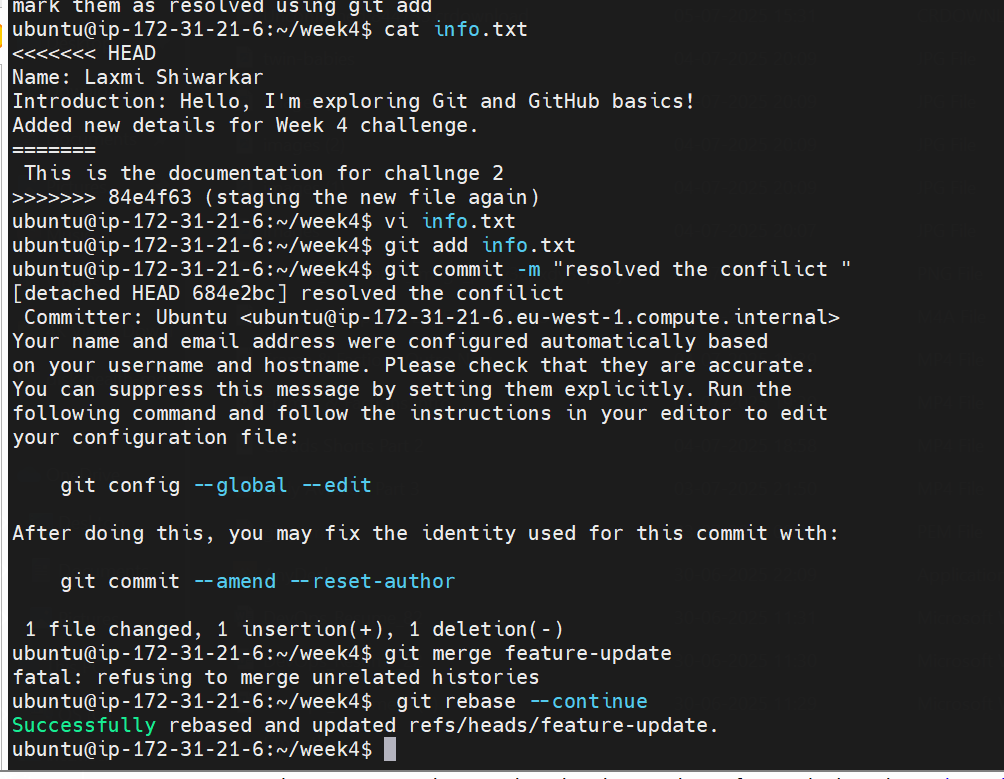
Task 5: Rebasing – Keeping a Clean History
Scenario
My branch was behind main and needed updates without merge commits.
Commands Used:
git fetch origin main
git rebase origin/main
git rebase --continue
Key Difference:
mergekeeps all commits but adds a merge commit.rebaserewrites history to make it linear and clean.
Best Practices:
Only rebase local changes.
Avoid rebasing shared branches without coordination.
Task 6: Industry Branching Strategies
I explored and simulated these workflows using Git branches:
Git Flow – Feature, Release, Hotfix branches
GitHub Flow – Main + Feature branches
Trunk-Based Development – CI/CD + short-lived feature branches
Which One’s Best?
| Strategy | Pros | Cons |
| Git Flow | Structured, good for releases | Can be heavy for fast-paced CI/CD |
| GitHub Flow | Simple, ideal for GitHub projects | Lacks release branch support |
| Trunk-Based Dev | Great for CI/CD | Requires automation & discipline |
Bonus: Screenshot from My Solution
“Used
git reset --soft HEAD~1to undo a commit while keeping changes staged. Super handy during experimentation!”
“Rebased my feature branch withorigin/mainto maintain a linear commit history. Less clutter, more clarity!”
Conclusion
This week gave me practical, hands-on exposure to Git’s advanced capabilities. I now feel more confident contributing to collaborative projects and managing real-world version control challenges.
Thanks to #90DaysOfDevOps for pushing us to go depth of the concepts.
#90DaysOfDevOps #Git #GitHub #VersionControl #DevOps #Rebase #CherryPick #PullRequest #CI_CD #TechBlog